
What is data cabling?
Data cabling is the set of cables that carry information between devices, such as modems, routers, computers, printers and security systems. It gives a home or business a wired connection, which is often faster and more reliable than wireless. The right cable, installed properly, makes the biggest difference to how well the network performs.
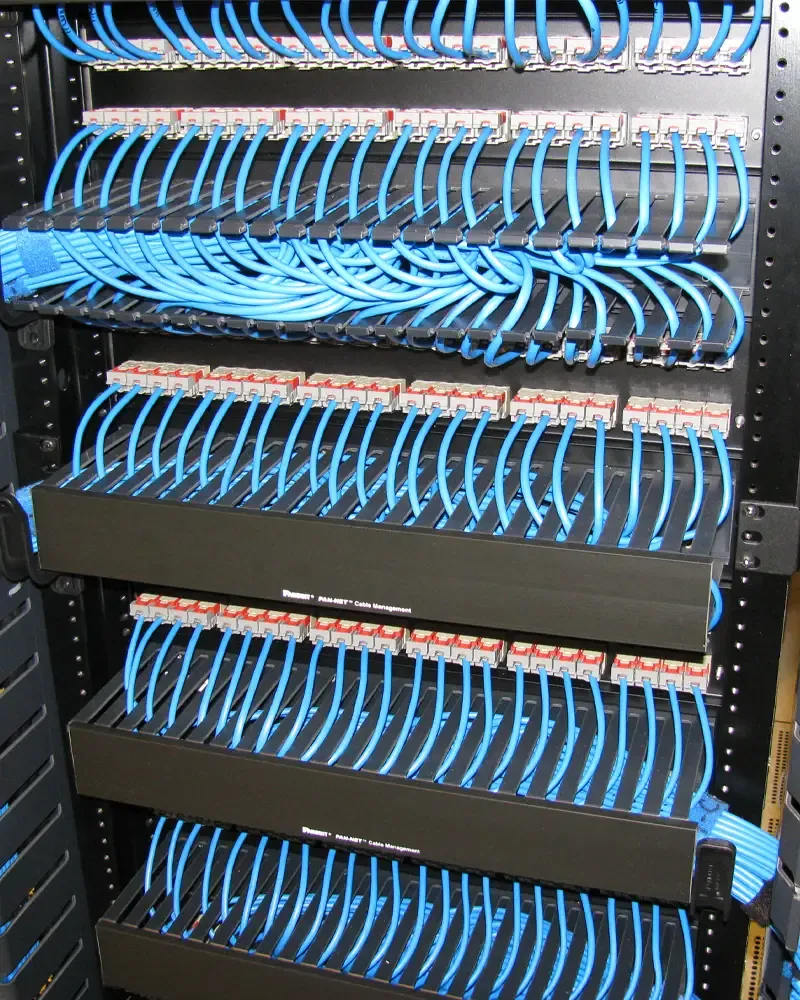
What data cables connect
A data cable carries information electronically from one point to another. In a home or business, data cables create wired connections between:
- Modems and routers
- Computers and printers
- Security systems
- Entertainment systems
Streaming, gaming, working from home and running smart home devices all rely on that connection, which is why data cabling has become the hidden backbone of most properties.
Common types of data cable
Data cables range from Cat5e up to Cat8 Ethernet cables, plus fibre optic cable. Each type has its own purpose and performance level. The higher the category number, the higher the performance rating.
| Cable type | Typical use |
|---|---|
| Cat5e | Basic home networking |
| Cat6 | Offices and smart homes |
| Cat6a | Professional set ups |
| Cat7 | High performance networking |
| Cat8 | Data centres |
| Fibre optic | Long distance, high speed links |
Fibre optic cable works differently from the others. Copper Ethernet cables carry electrical signals, while fibre optic cable carries data as light, which allows very fast transmission over long distances with little loss of signal.
Why cable quality matters
Not all data cables are the same. Good quality cables:
- Reduce signal interference
- Transfer data faster
- Last longer in harsh conditions
- Suit high speed internet plans
The wrong cable can hold back a fast internet plan, because the network can only run as well as the cable allows.
Six more things to know about data cables
Shielding reduces interference
Shielded Ethernet cables help prevent signal loss where there is a lot of electrical interference, such as in factories or server rooms.
Installation matters as much as the cable
Even a high quality cable can underperform if it is installed badly. Routing, termination and testing all affect how well the network runs.
Outdoor and indoor cables are different
Outdoor rated cables resist sunlight and weather. Indoor cables used outside can fail and lose data.
Patch cords and backbone cables do different jobs
Patch cords make short connections, such as between a modem and a router. Backbone cables carry data over longer distances across a larger network.
Structured cabling helps future proof a property
Installing a structured cabling system during construction or renovation adds value and prepares the property for future technology.
Where the internet enters matters
When fibre is brought into a property, a central termination point helps spread the WiFi signal evenly through the building.
How to choose the right cable
Three things decide which cable suits a job:
- Your internet plan: a fast plan needs a cable that can keep up with it.
- Distance: longer runs may need Cat6a or fibre optic cable.
- Environment: shielded cable suits areas with a lot of electrical noise.
Planning an installation
A smooth data cabling job follows a simple order:
- Work out how you use the internet and which rooms need a wired connection.
- Choose the right cable type for the job.
- Plan the cable routes and where each cable will end.
- Use a certified installer.
- Test the network once the installation is finished.
Done properly, the result is neat and safe cabling, tested performance, room for future upgrades and smoother links to smart devices. Our page on data points and wall plates explains where the cables end in each room.
When to call a professional
Because routing, termination and testing decide how well a network performs, data cabling is a job for a certified installer. For help, see our data cabling installation service.